Choose explicitly
Press ⌘⇧G on macOS or Ctrl+Shift+G on Windows and Linux, or choose View → Open Glance. Pick a tab from the current window; the picker stays within its local profile.
Interface
Privacy and security
Workflow
 Start hereOne small island. The whole browser.Back, forward, tabs, search and commands in one floating pill.See the island
 glance
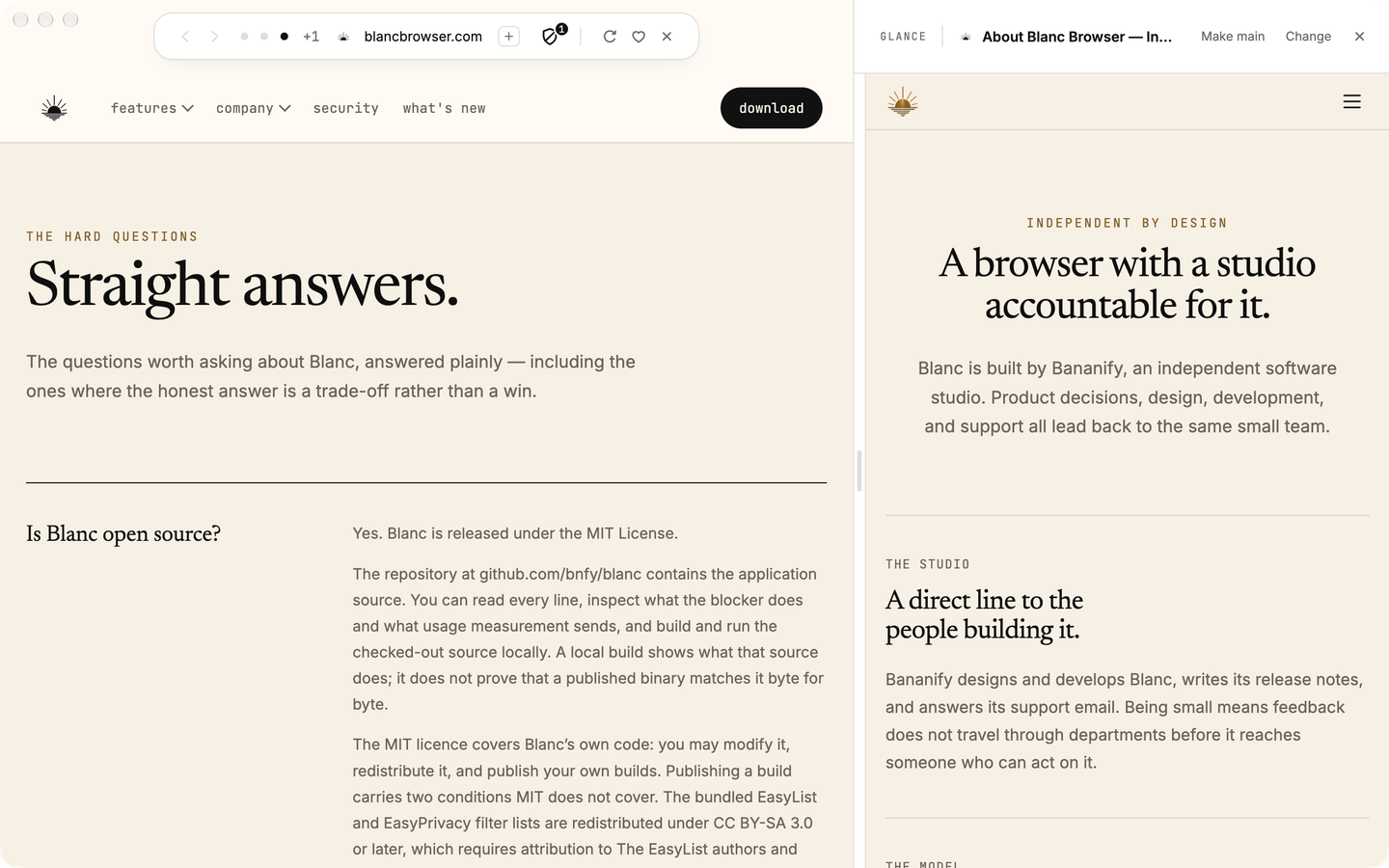
Checking a reference should not mean losing sight of your work. Glance keeps another open tab alongside your main page, with room to read both.
choose your reference
Press ⌘⇧G on macOS or Ctrl+Shift+G on Windows and Linux, or choose View → Open Glance. Pick a tab from the current window; the picker stays within its local profile.
Drag the divider or resize it with the keyboard. Wide windows put the pages side by side; narrow windows stack the reference below the main page.
Use Change to choose another reference, Make main to swap the two pages, or Close to dismiss Glance without closing either tab.
stay with the page
Selecting a quiet tab for Glance reloads it. While it remains visible as your reference, Quiet Tabs leaves it alone.
The picker uses tabs from this window and profile. It does not search history, Favorites, remote tabs, or another window.
ready when you are