Glance
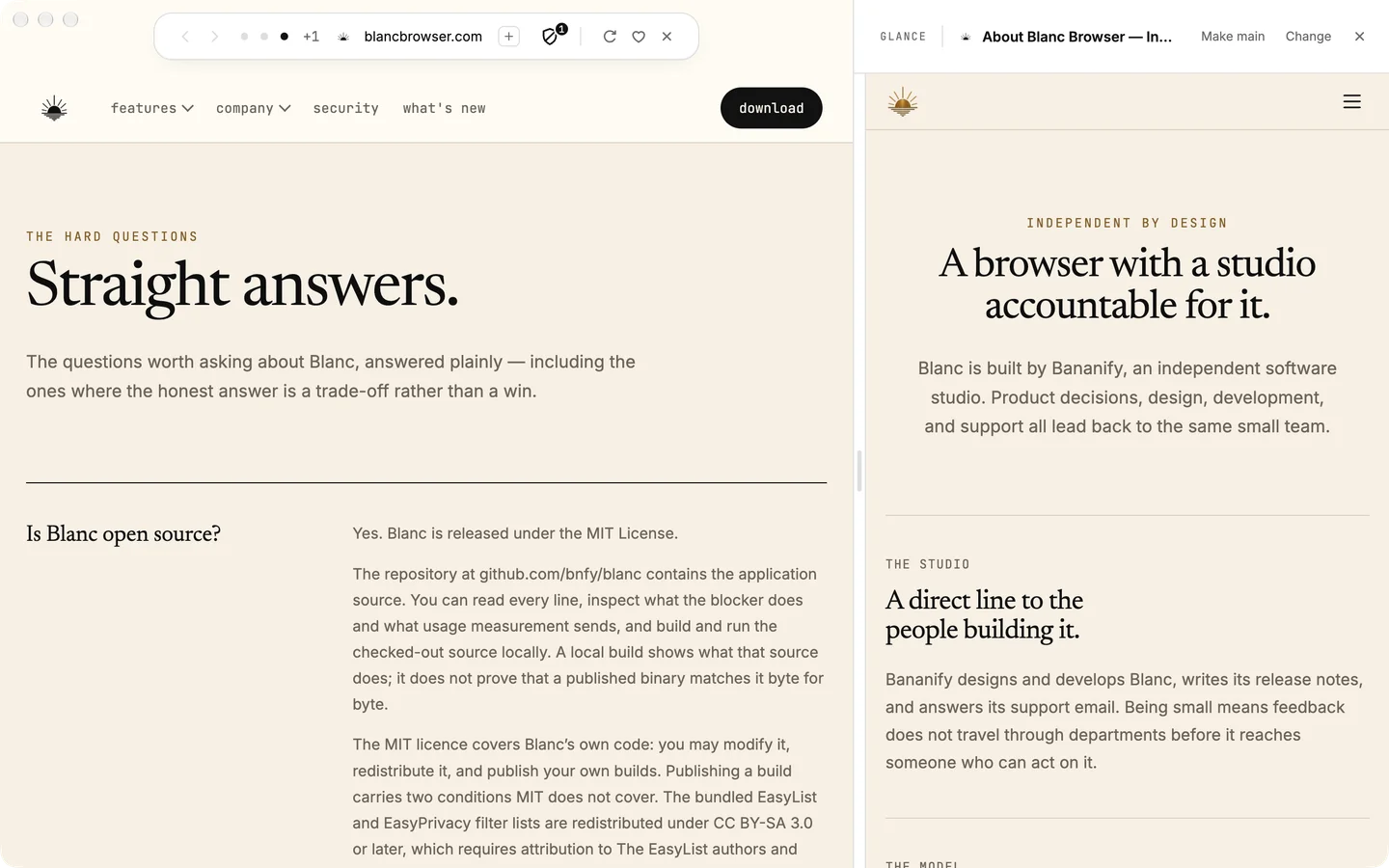
View two tabs side by side with Glance.
Choose another tab from this window to open beside your page. Drag the divider to resize, swap the two sides, or close the reference when you are done.
Glance is never restored after a restart or synced.
Read more about Glance → The Island
The Island puts tabs, search and page controls in one compact bar.
Blanc replaces the tab strip and toolbar with one Island in a slim band above the page. Open it to switch tabs, search or run a command, then close it to get back to the page.
The resting Island keeps its own band above the page; the panel opens over the page.
Read more about the Island → trip · 5 tabs 1 hour later
WTypography — Wikipediathis tab
VVisit Copenhagen — Guide
TThe New York Timesreloading…
RRadio — Live♪ playing
FFlight search
Quiet Tabs
Quiet Tabs free up memory without closing the tab.
When a background tab has gone unused for an hour (the default), Blanc releases the memory its page was using and dims it in the Island. Open it again and the page reloads with its address, title and back button. Choose 30 minutes, 1 hour, 6 hours or Off in Settings.
Tabs playing sound, pinned tabs and pages with a half-filled form stay loaded. A quiet tab reloads; it does not resume exactly where the page’s scripts left off.
Read more about Quiet Tabs → Time-of-day wallpaper
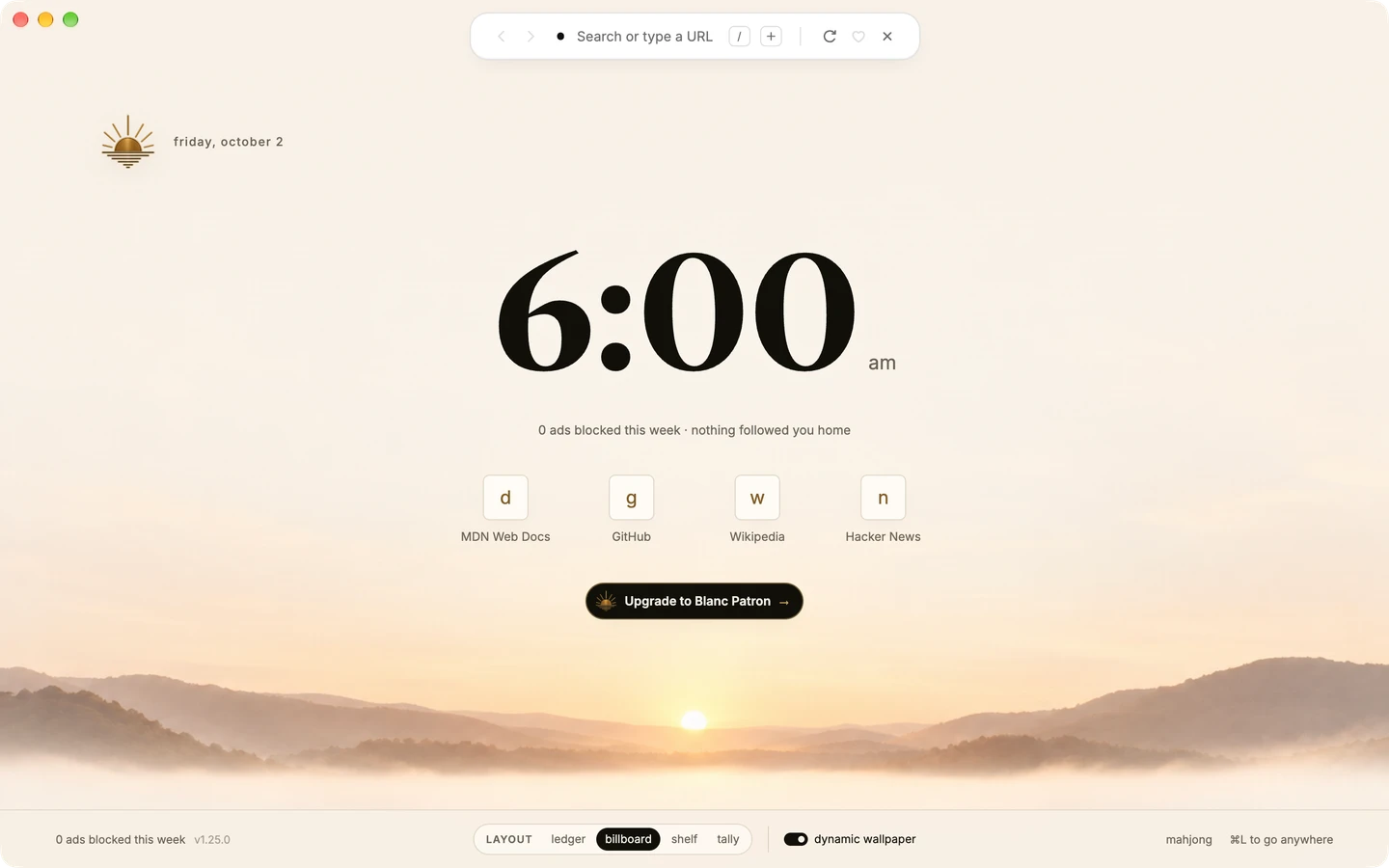
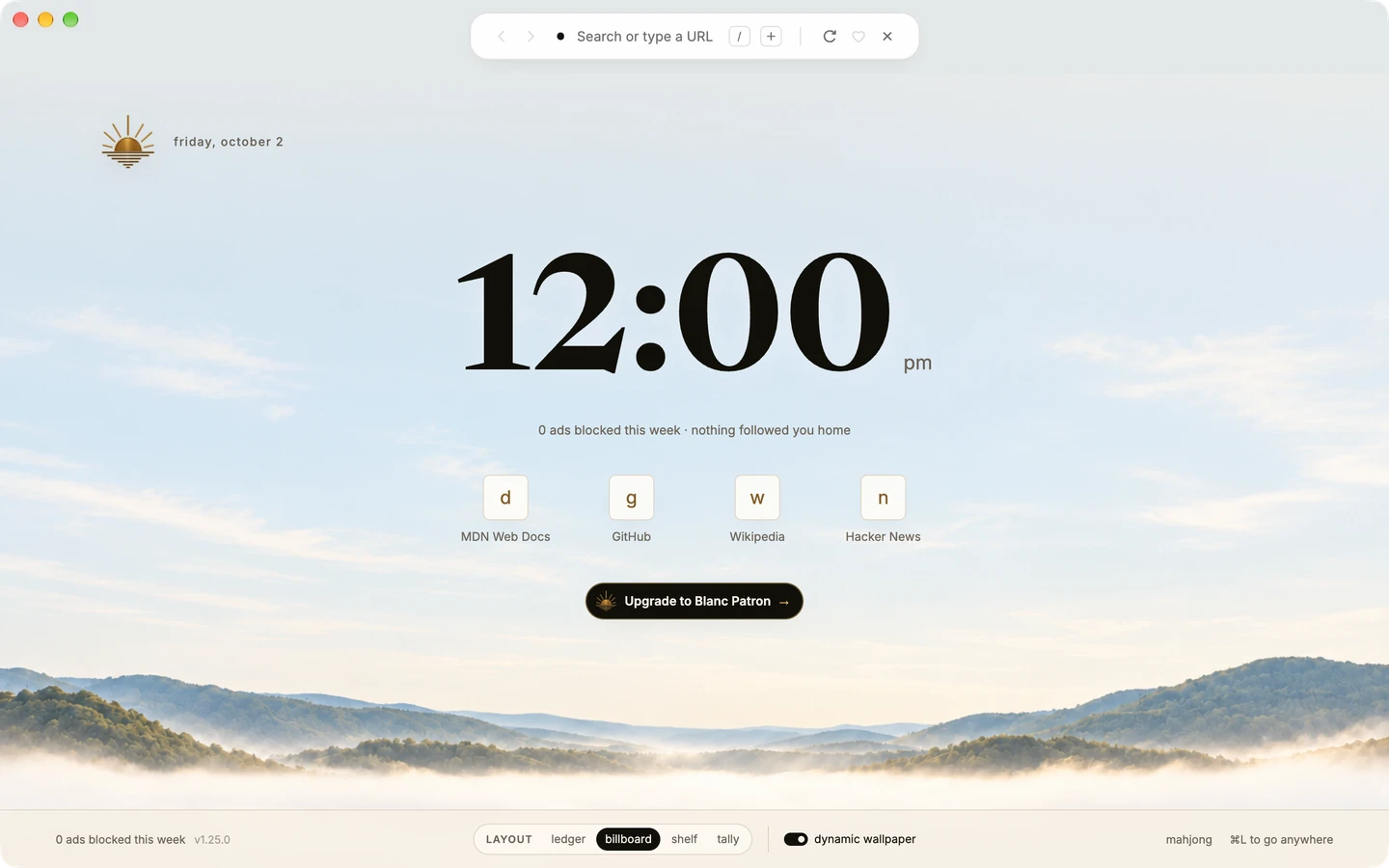
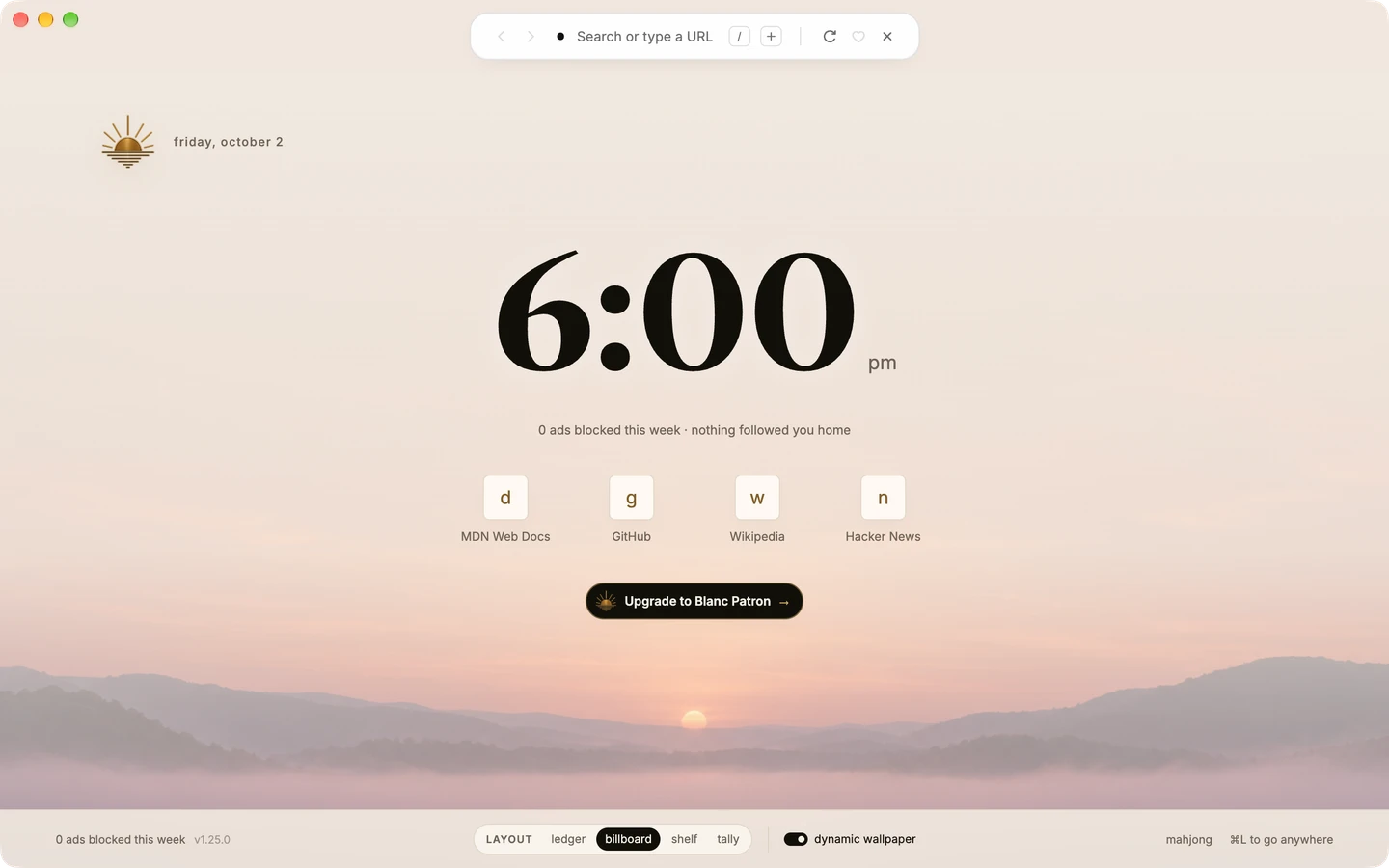
A Start Page that follows the time of day.
Turn on time-of-day wallpaper in Settings → General, and the Start Page artwork moves through dawn, day, dusk and night with your computer’s clock.
When Sync is on, the on/off choice follows you to your other devices; the artwork always follows each computer’s own clock.
Read more about the Start Page →
nytimes.com
Current blocker
Blanc Blocker
Active
24 ads & trackers blocked on this page
Changing site protection reloads this page.
Applies while Blanc is dark.
Private tabs use Blanc Blocker; uBO isn’t supported in temporary private sessions.
Each blocker keeps its own site settings.
nytimes.com
Current blocker
Blanc Blocker
Changing site protection reloads this page.
Applies while Blanc is dark.
nytimes.com
Current blocker
Blanc Blocker
Changing site protection reloads this page.
Applies while Blanc is dark.
Site protection
Ads and trackers blocked. Your choice of blocker.
Blanc Blocker works from the first page you open, with nothing to install. Want more control? Switch to the full uBlock Origin from the same shield.
uBlock Origin is available on supported builds and applies after a restart. Private tabs always use Blanc Blocker. The 24 shown was measured on nytimes.com in Blanc 1.30.1.
Read more about blocking → Mahjong
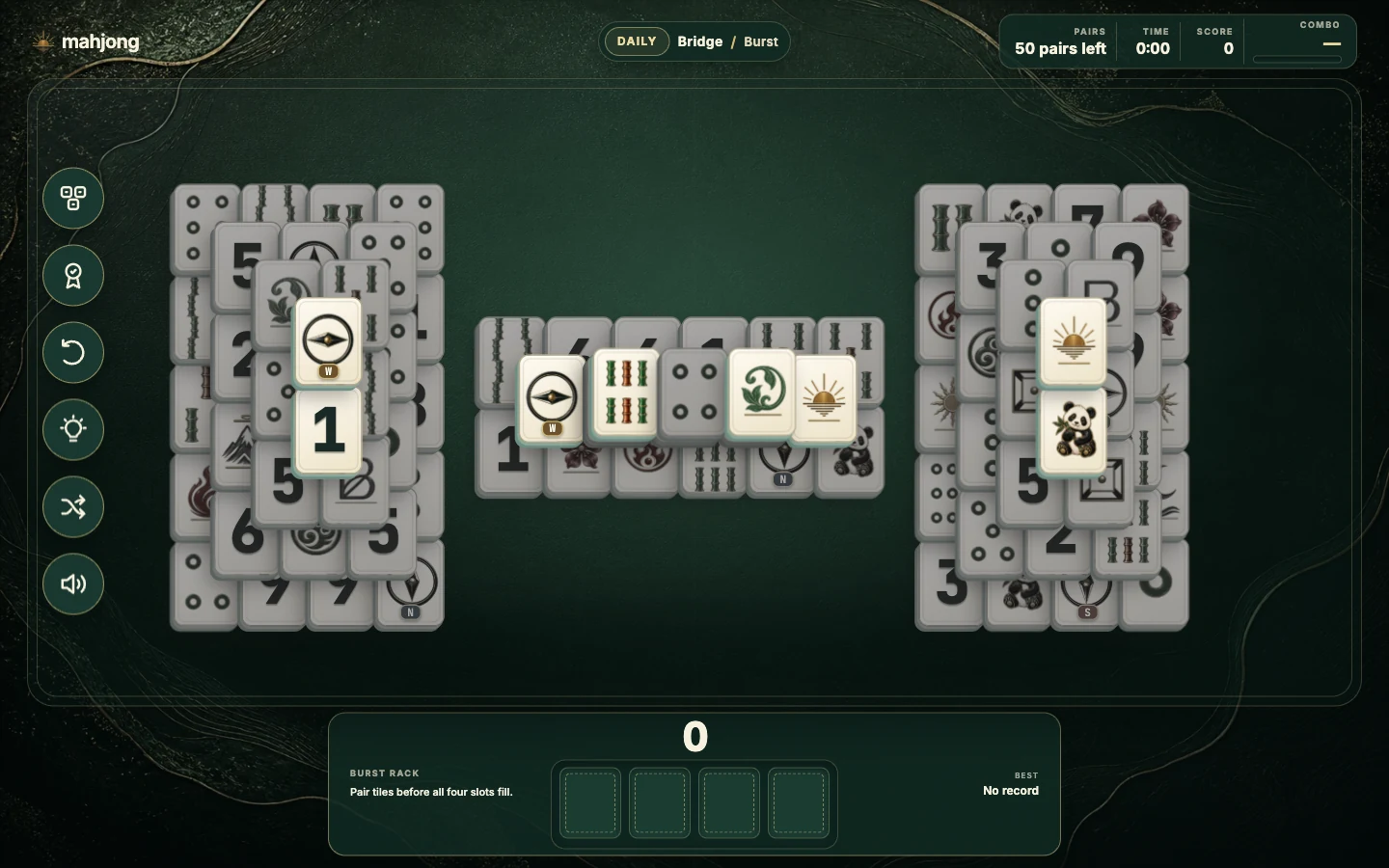
Play Mahjong from any Start Page.
Every Start Page footer opens Mahjong in its own tab, with eight boards, a Daily deal, hints, undo and records kept on this device.
Mahjong is offline and single-player; nothing is synced.
Read more about the Start Page → Blanc
A little less browser.
Blanc is a desktop browser for macOS, Windows and Linux that keeps its controls in one small Island, blocks ads and trackers by default, and stays out of the way of the page you came for. It is free and open source.
Built by Bananify, an independent studio.
Download Blanc → Search, enter address, or / for commands⌘⇧T
this window · 3 tabs
WTypography — Wikipedia
TThe New York Times×
VVisit Copenhagen — Guide
this window · 2 tabs
WTypography — Wikipedia
VVisit Copenhagen — Guide
⌄ recently closed 2
TThe New York Timesjust now
▸research · 4 tabs2 min
this window · 3 tabs
WTypography — Wikipedia
TThe New York Timesback
VVisit Copenhagen — Guide
Reopen Closed Tab
Reopen a closed tab or a whole group, sometimes without a reload.
Press ⌘⇧T, type /reopen, or choose from Recently Closed in the Island. For about 30 seconds, one eligible tab you closed can come back without loading again, which can keep its scroll position and the text you were typing.
On Windows and Linux, press Ctrl+Shift+T. After that window the tab reloads from a saved snapshot or its address. Each window keeps up to 25 entries for an hour, and private tabs are never recorded.
Read more about reopening tabs → ‹ ›Wwikipedia.org ‹ ›nytimes.comprivate × history · today
WTypography — Wikipediajust now
VVisit Copenhagen — Guide10:42
No new entries while private.
Private tabs
Private tabs keep your visits out of Blanc’s history.
Press ⌘⇧N or type /private. Pages you visit are not saved to history, are not restored after a restart, and never appear in Recently Closed. The Island changes so you can see you are private, and its chip closes the tab when you are done.
On Windows and Linux, press Ctrl+Shift+N. Private does not mean anonymous: websites, your network or an employer can still see activity, and files you download stay on disk.
Read more about private tabs → Profiles
Personal
Your original Blanc data · permanent
Studio
Separate local browser data
New profile nameCreate profile window
Profiles
Profiles keep work and personal browsing apart.
Create named profiles, each with its own cookies, site data, Favorites, history, download list and remembered permissions, opening in its own windows.
Settings and Patron are shared by every profile on this device.
Read more about profiles → Search, enter address, or / for commandsnew/
this window · 3 tabs
WTypography — Wikipedia
VVisit Copenhagen — Guide
TThe New York Times
matches
TThe New York Timesopen tab
GGoogle Newsfavorite
NThe New Yorkerhistory
▸new apartmentgroup · 3 tabs
commands
/privateOpen a private tab (history stays untouched)
/findFind in page
/groupType a space, then a group name — e.g. “work”
/allow-adsAllow ads on this site
Quick Switcher
Press ⌘L to find any tab, or type / to run a command.
The Quick Switcher searches your open tabs, Favorites, history and Named Groups as you type, so you can jump to a page without hunting through a tab strip.
On Windows and Linux, press Ctrl+L. For search text, Enter opens the highlighted result; choose the result showing your exact text to search the web.
Read more about the Quick Switcher → Slash commands
Type / to run a browser command.
In the Island, type / to see every command, then keep typing to narrow the list: /private opens a private tab, /group moves this tab into a group, /sleep quiets background tabs and /allow-ads lets one site through.
Commands act only when you choose them.
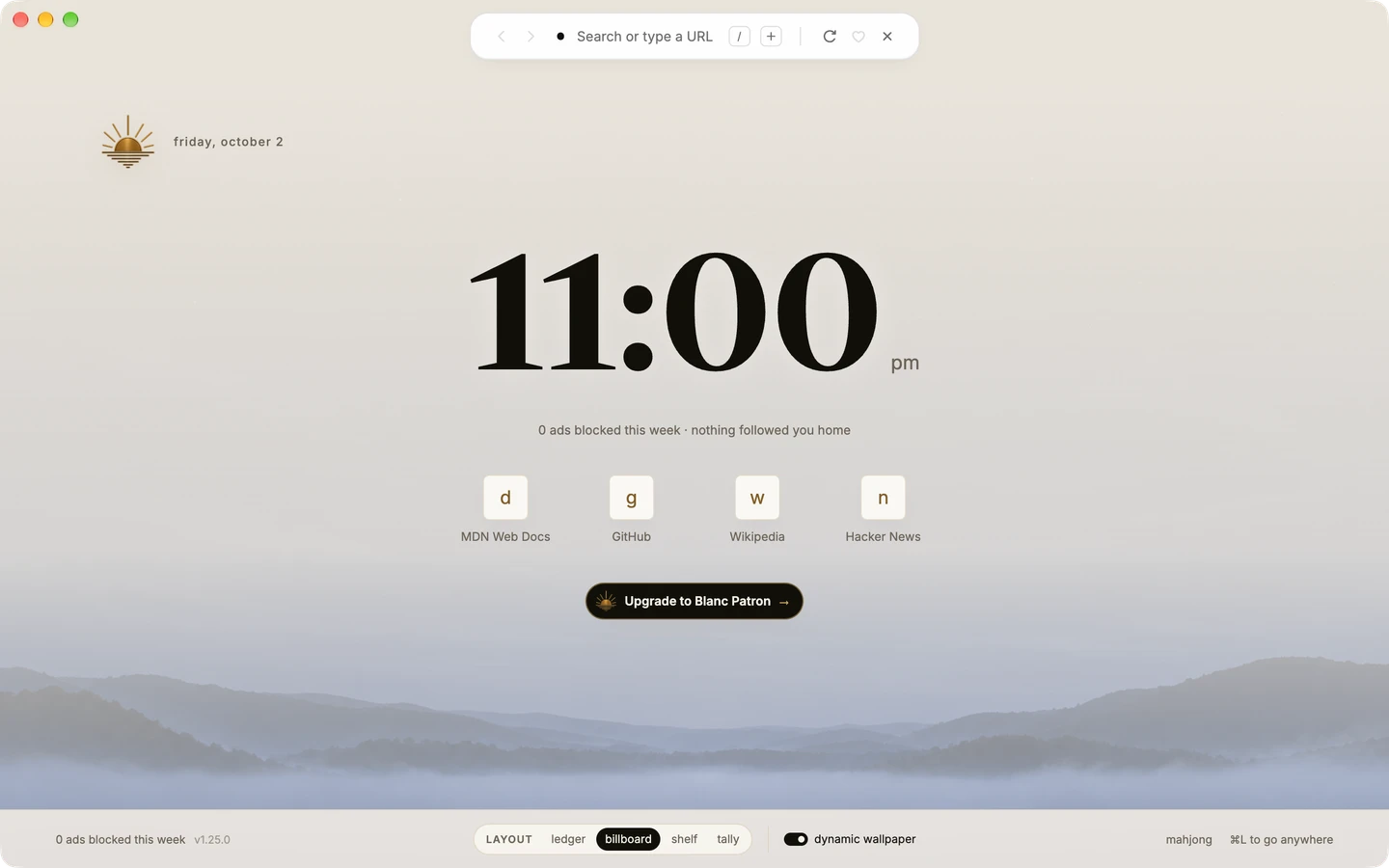
See every command → Start Page
Choose your Start Page layout.
Pick Ledger, Billboard, Shelf or Tally for new tabs. Billboard brings your frequent sites from local history, and Tally puts a big clock front and centre.
Your layout choice can follow you through Sync; history stays on this device.
Read more about the Start Page → trip 3 tabswork 4reading 2
Named Groups
Named Groups keep a task’s tabs together.
Create a group with /group and a name, or from a tab’s right-click menu. The Island shows the current group’s tabs as dots, and other groups fold away in the ⌘L panel. Drag tabs and groups into the order you want.
You name and fill every group. Blanc never sorts or groups tabs for you.
Read more about Named Groups → /workspace
/workspaceSwitch to a named workspace, or type a new name to save this window
workspaces
Thesis6 tabs
Weekend reading2 tabs
Named Workspaces · Patron
Named Workspaces save a whole window to return to by name.
Save a window’s tabs and groups as a Named Workspace and switch back to it later by name. A saved workspace keeps itself up to date as you browse.
Creating and saving workspaces needs an active Patron membership. Saved workspaces stay usable if it ends.
Read more about Named Workspaces → Sync
Sync Favorites and settings across your devices.
Turn on Sync from your Personal profile to carry Favorites and settings to your other devices, and optionally see what each device has open. It is end-to-end encrypted.
History, cookies and private tabs are never synced.
Read more about sync → Vertical tabs
Show your tabs in an optional vertical list.
Turn on the vertical tab rail for a resizable overview on the left. Drag tabs and groups in the rail to reorder them. The Island stays for search and commands.
The rail is optional; the Island is always there.
Read more about vertical tabs → Mouse gestures
Navigate with mouse gestures.
Turn them on in Settings, then hold the right mouse button and draw, or hold Alt/Option and drag with one finger on a trackpad. Assign your own patterns to Back, Forward, Reload and more.
Gestures are off until you turn them on, and they stay on this device.
Read more about mouse gestures → 1Password · macOS
Fill logins from 1Password on macOS.
Turn on the integration in Settings, then press ⌥⌘P on a login form to fill a matching login from your installed 1Password app.
macOS only. Blanc never fills anything automatically.
Read more about 1Password → uBlock Origin
Prefer uBlock Origin? Choose it from the shield.
Click the shield on the Island, choose uBlock Origin, then restart Blanc. You get its popup, dashboard, logger, element picker and filter lists for regular tabs.
Private tabs always use Blanc Blocker. Available on supported Mac, Windows and Linux builds.
Read more about uBlock Origin → Dark websites
Darken websites that have no dark mode.
Turn on Dark websites while Blanc is dark, and pages without their own dark mode are darkened as they load. Switch it per site from the shield.
Off by default. Embedded frames keep their colors.
Read more about site controls → Touch ID passkeys
Sign in with passkeys and Touch ID on a Mac.
On a Mac, Blanc can create passkeys secured by Touch ID that stay on your device.
Blanc passkeys do not read passkeys saved in other apps.
Read more about security → Drag to reorder
Drag tabs and groups into the order you want.
In the Island panel or the vertical rail, drag a tab within its group, into another group or out of one, or drag a group header to move the whole group.
Prefer the keyboard? Focus a tab and press Option+Shift+Up or Down on a Mac, or Alt+Shift+Up or Down on Windows and Linux.
Read more about Named Groups → Import
Bring your Favorites with you.
Import bookmarks from a browser profile Blanc detects, or from an HTML file, in Favorites.
Importing happens on your device.
How importing works → Camera and microphone
See and stop camera and microphone use.
The Island shows when a page is using your microphone or camera, and its popover can stop access.
Sites must ask before they can use either.
Read more about call controls → Recovery
Choose how to recover after a crash.
After an unclean shutdown, choose whether to restore your tabs or start fresh.
Settings can also export local diagnostics for you to review before sharing.
Read more about recovery → Downloads
Pick up interrupted downloads.
Interrupted downloads offer Resume when they can continue, and Retry when they need to start again.
Not every interrupted download can be completed.
Search
Search with DuckDuckGo, Google, Bing or Brave.
Pick your search engine in Settings. Search suggestions can be turned off at any time.
Suggestions are optional.
Read more about search → Pin and mute
Pin the tabs you keep and mute the ones that play.
Type /pin to keep a tab first in its group, and /mute to silence a noisy one.
Pinned tabs stay loaded.
Read more about the Island → Default browser
Make Blanc your default browser.
First-run setup helps you choose a default browser, and Settings has a Make default button at any time.
On Windows, Blanc opens the system Default apps page for you to confirm.
Download Blanc → Sandboxed pages
Every page runs in a sandbox.
Pages run in Chromium’s sandbox, and sites must ask before using your camera, microphone, location or notifications.
Read the security page for what each protection covers.
Read more about security → Signed releases
Check the download you got.
Mac and Windows releases are signed, Mac builds are notarized, and every release ships a signed checksum manifest you can verify.
The verification guide walks through each step.
Read more about security → Appearance
A look that follows your computer.
Choose light, dark or system, and Blanc’s own pages change with it. Change it in Settings or with /theme.
Websites that follow the system theme change too.
Read more about the Island →