Use the shortcut or the panel
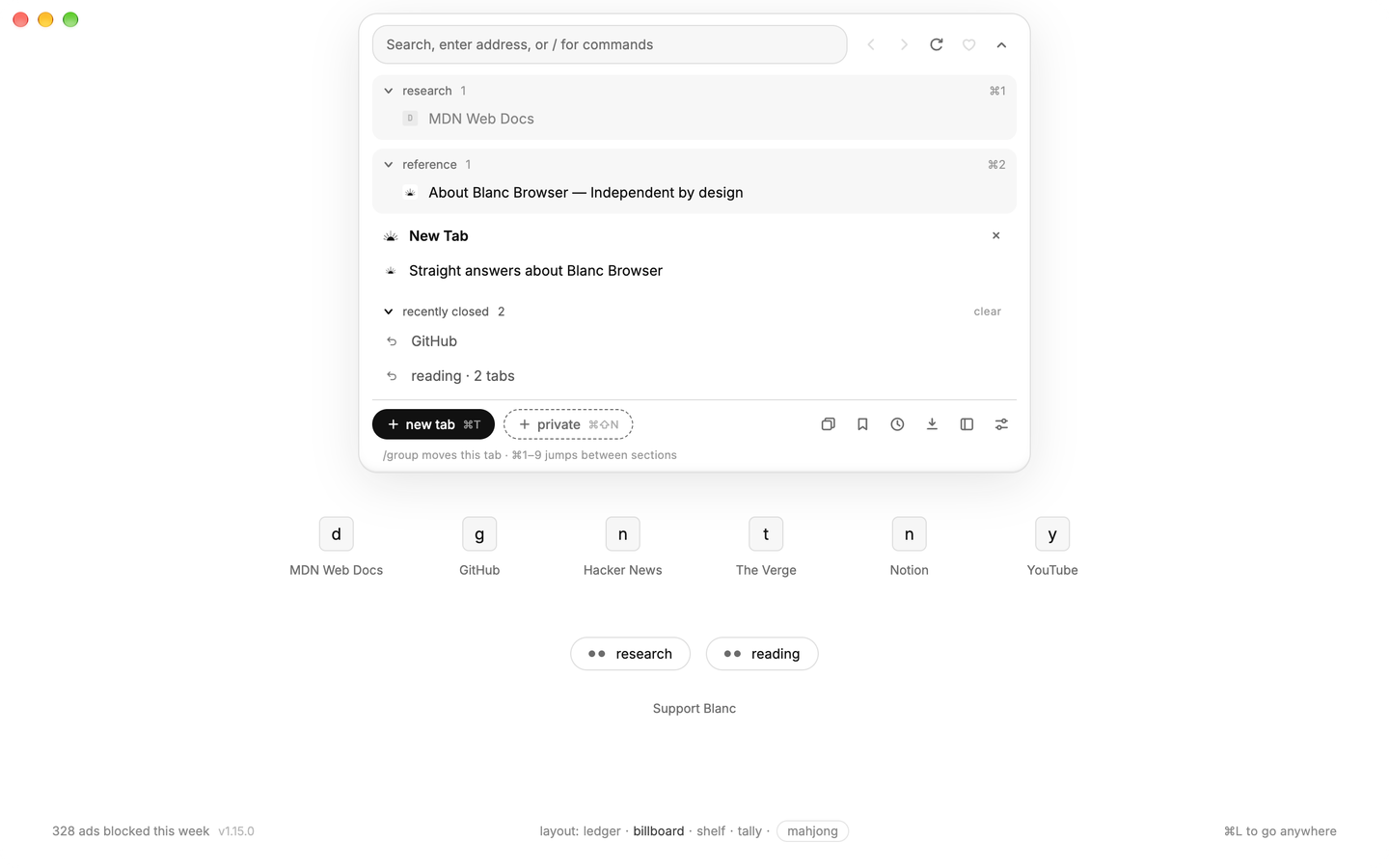
Press ⌘⇧T on macOS or Ctrl+Shift+T on Windows and Linux, type /reopen, or open the Island panel and choose an entry from Recently Closed.
Interface
Privacy and security
Workflow
 Start hereOne small island. The whole browser.Back, forward, tabs, search and commands in one floating pill.See the island
 reopen closed tabs
Closed the wrong tab? Blanc keeps a short, local undo history for each window, so you can pick the tab or group you meant to bring back.
undo a close
Press ⌘⇧T on macOS or Ctrl+Shift+T on Windows and Linux, type /reopen, or open the Island panel and choose an entry from Recently Closed.
Closing a named group records one undo entry. Reopen it to restore its ordinary tabs together, including its name, member order, and pins.
Reopening in one window uses that window’s list. Use Forget for one entry or Clear all to remove the list.
a short second chance
At most one eligible closed page per window can retain the same page for about 30 seconds. Reopening it during that time can preserve things such as scroll position and text you were typing without fetching the page again.
A still-recent entry falls back to a safe navigation snapshot or its URL. Page state is not guaranteed, and Blanc never silently resubmits a form. Loading, recording, quiet, and other ineligible pages do not receive the same-page recovery window.
Recently Closed holds up to 25 entries per window, and entries expire after one hour. It lives only in memory and ends when the app quits.
ready when you are